 Kimai
透過電子郵件傳送發票
自動將新建立的發票透過電子郵件傳送給客戶

Simon Schaufelberger
Automated invoice delivery by email
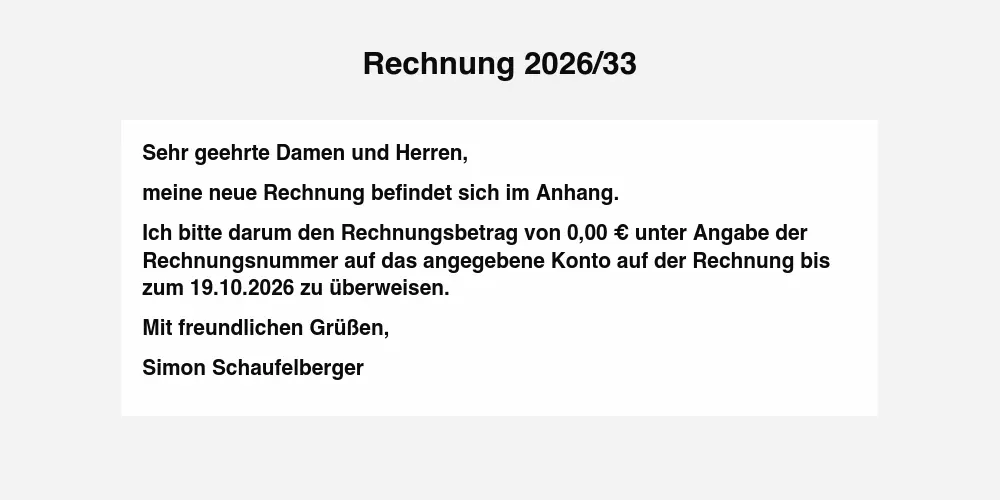
A Kimai plugin that automatically sends newly created invoices to customers by email — with the invoice attached.
No more manual sending: the plugin regularly checks for new invoices and delivers them to the customer’s email address automatically.
What’s included?
- Automatic sending of invoices by email with the invoice attached
- Configurable sender name in the system settings
- Optional dedicated SMTP account for invoice emails (via environment variables)
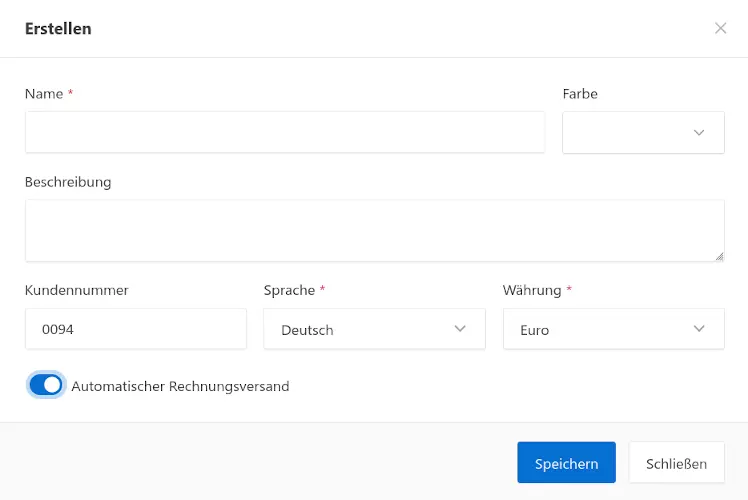
- Enable / disable automatic sending per customer
- New permission
manage_send_invoice_emailto control who can toggle the setting per customer --dry-runoption for testing without actually sending- Fully customizable email templates via a custom plugin
System Requirements
You need the ability to execute cronjobs on your server, either in your hosting administration platform or manually via crontab -e.
This is required for running the command bin/console send-invoice-email:send on a regular basis.
Setup steps after Installation
1. Configure the plugin
Go to System > Settings > Invoice emails to set the sender name used for invoice emails.
By default, the plugin uses Kimai’s MAILER_URL and MAILER_FROM configuration. To send invoice emails through a separate SMTP account, you can optionally set these environment variables:
SEND_INVOICE_EMAIL_MAILER_DSN=smtp://user:password@smtp.example.com:587
SEND_INVOICE_EMAIL_FROM=invoices@example.com
The two variables are independent — you can configure one without the other.
2. Enable automatic sending per customer
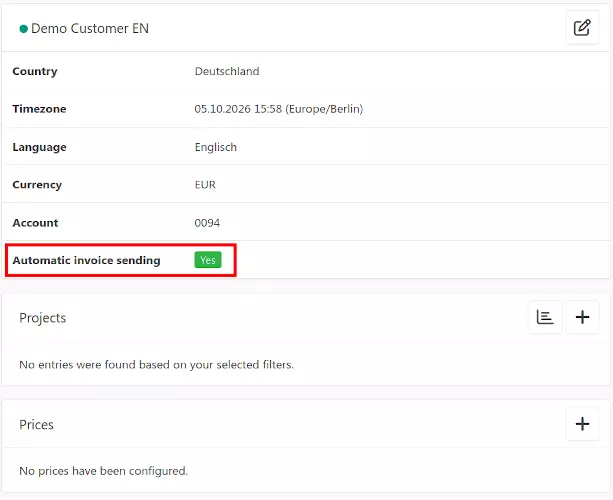
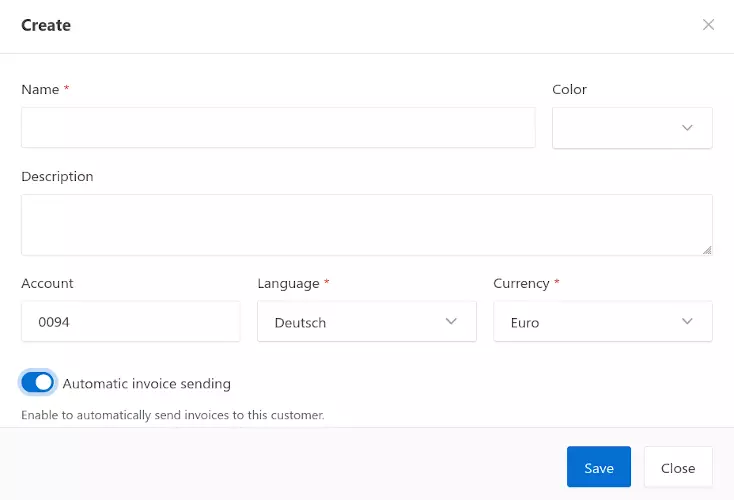
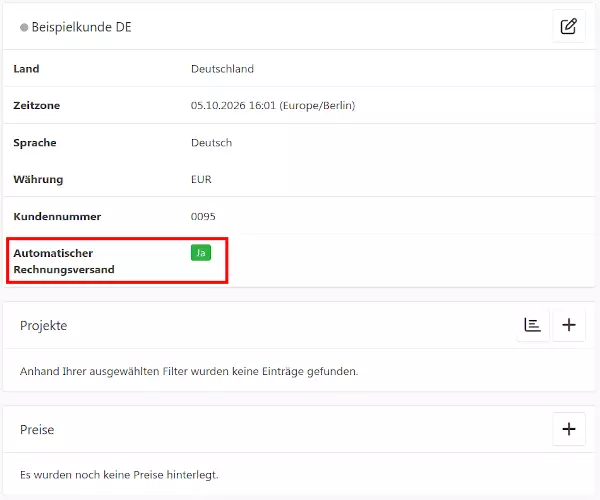
In a customer’s edit form, activate the Automatic invoice sending toggle (requires the manage_send_invoice_email permission).
3. Set up the cron job
To send invoice emails automatically, add a cron job to your server.
Add the following line to your crontab (runs every 5 minutes):
*/5 * * * * cd /path/to/kimai && bin/console send-invoice-email:send --env=prod >> var/log/send-invoice-email.log 2>&1
4. Run the command manually
You can also run the command manually at any time:
bin/console send-invoice-email:send
Use the --dry-run option to test the process without sending any emails or writing to the database:
bin/console send-invoice-email:send --dry-run
Use --limit=N to process at most N new invoices per run:
bin/console send-invoice-email:send --limit=50
Behavior
An invoice is only switched to pending status after its email was sent successfully.
The following cases are logged as warnings and the invoice stays at new status:
- The customer has no email address
- The customer’s email address is invalid
If no invoice file is found, the email is still sent (without an attachment) and a warning is logged.
If the mail transport fails (e.g. the SMTP server is unreachable), the error is logged, the invoice stays at new, and the command exits with a non-zero status code so that cron or monitoring tools can detect the failure.
Customizing email templates
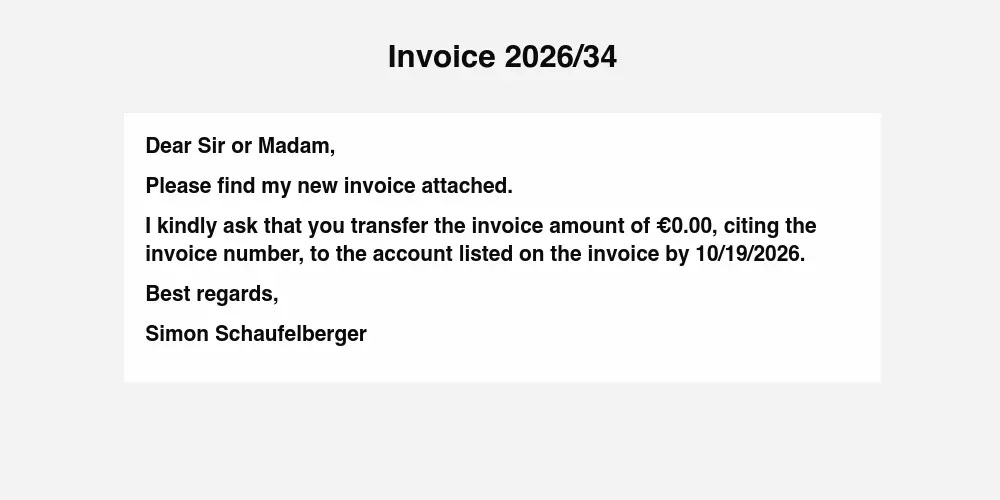
The default email template is located in Resources/views/emails/:
invoice.html.twig— Sent to the customer with the invoice attached.
Important: Do not modify the original plugin templates directly, as any plugin update will overwrite your changes. Instead, customize the templates by creating your own Kimai plugin using an
EventSubscriberthat listens toModifyTemplatedEmailEvent.
How to create a Kimai plugin is explained in the official Kimai Plugin Documentation.
Permissions
This plugin ships a new permission:
manage_send_invoice_email— Only users with this permission can activate or deactivate automatic invoice sending for a customer.
By default, it is assigned to each user with the role ROLE_SUPER_ADMIN.
Read how to assign this permission to your user roles in the permission documentation.
Translation
The plugin is available in two languages: English and German. To offer the plugin in your language, please contact me, and I will translate the labels accordingly.
相容性
下表比較了外掛程式與所需的最低 Kimai 版本。
| 套件版本 | 最低 Kimai 版本 |
|---|---|
| 1.0.0 | 2.63.0 |
安裝
複製檔案
Extract the ZIP file and upload the included directory and all files to your Kimai installation to the new directory:
var/plugins/SendInvoiceEmailBundle/The file structure needs to look like this afterwards:
var/plugins/
├── SendInvoiceEmailBundle
│   ├── SendInvoiceEmailBundle.php
|   └ ... more files and directories follow here ...
清除快取
After uploading the files, Kimai needs to know about the new plugin. It will be found once the cache was re-built. Call these commands from the Kimai directory:
How to reload Kimai cache
bin/console kimai:reload --env=prod
It is not advised, but in case the above command fails you could try:
rm -r var/cache/prod/*
You might have to set file permissions afterwards:
Adjust file permission
You have to allow PHP (your webserver process) to write to var/ and it subdirectories.
Here is an example for Debian/Ubuntu, to be executed inside the Kimai directory:
chown -R :www-data .
chmod -R g+r .
chmod -R g+rw var/
You might not need these commands in a shared-hosting environment.
And you probably need to prefix them with sudo and/or the group might be called different from www-data.
更新
Updating the plugin works exactly like the installation:
- Delete the directory
var/plugins/SendInvoiceEmailBundle/ -
Execute all installation steps again:
- 複製檔案
- 清除快取
使用截圖
常見問題
這些常見問題由本外掛程式的開發者提供。
All paid plugins are annual subscriptions.
You can buy the plugin via the Marketplace LemonSqueezy and pay with Credit Card or PayPal for immediate access. You can also get in touch and pay with wire transfer or SEPA, but you will have to wait a few days before getting access to the plugin.
Support-questions, bug-reports and feature-requests can be made via the contact form at www.simonschaufelberger.de.
If you purchase a plugin subscription, you’ll receive all updates, bugfixes, and support for one year. After the subscription ends, your plugin will continue to work without any restrictions – you can keep using the last version you downloaded. This model is known as a perpetual fallback license. However, access to future updates, new features, and compatibility fixes require an active subscription.
No, refunds are not available. Kimai plugins are delivered as digital downloads and cannot be returned once the source code has been accessed. Additionally, payment providers charge non-refundable transaction fees, even if a refund were issued. For these reasons, all sales are final. The same applies for subscriptions that were not canceled in time. Please contact me before purchase if you’re unsure whether a plugin fits your needs.